NEW FEATURES IN 4.10.x
You asked and we listened!
There are many new features and dozens of improvements in PokerTracker 4.10.x including:
* Support for the latest poker client changes and features including full support added for new legal USA sites in New Jersey - BorgataPoker and partypoker!
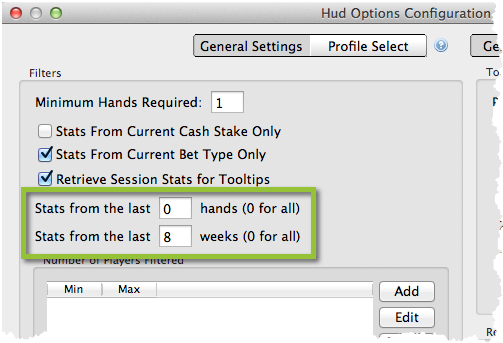
* A new "Last Number of Weeks" HUD Filter is now available!
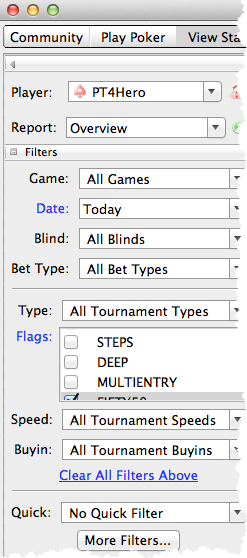
* Simple Filters can now be reset by clicking the “Clear All Filters Above” hyperlink!
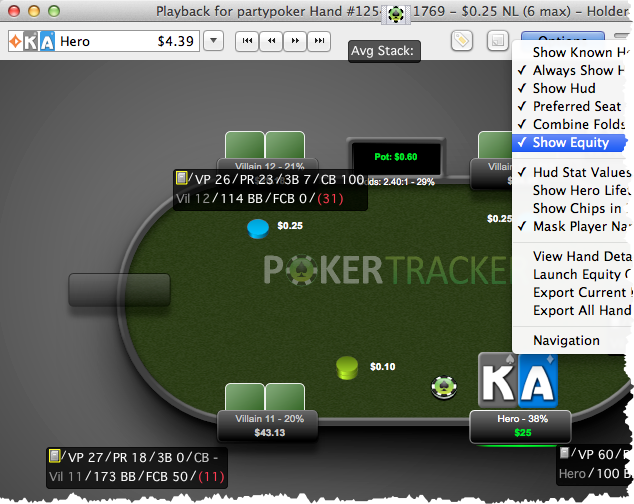
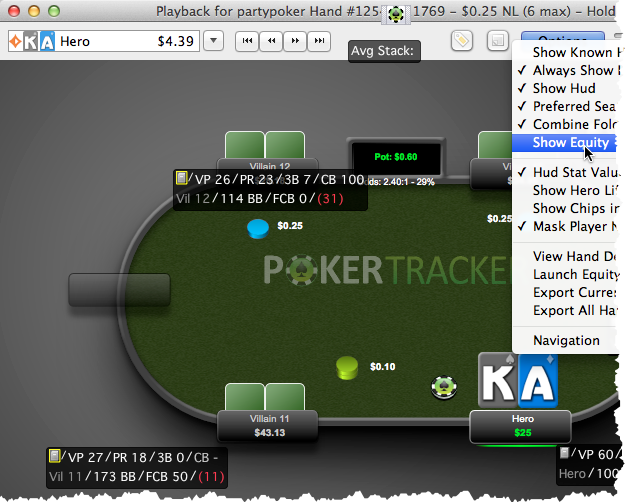
* Equity display can now be disabled in the Replayer, and the equity breakdown of each side pot can now be seen in the Hand History Viewer and the Hand Replayer!
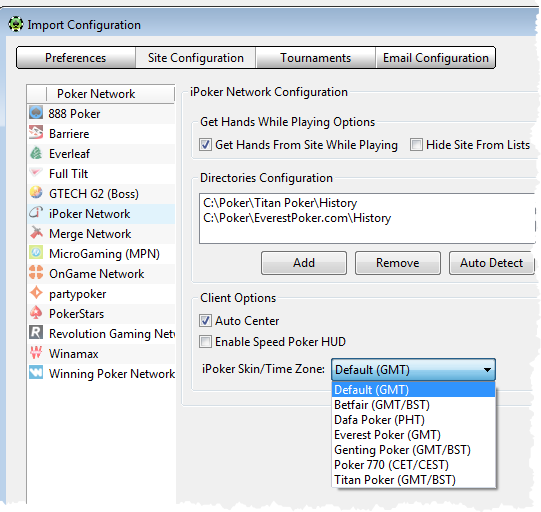
* Time zone offsets are now available to synchronize time for iPoker skins
* PokerStars new Auto-Center option for Prefered Seating is now supported!
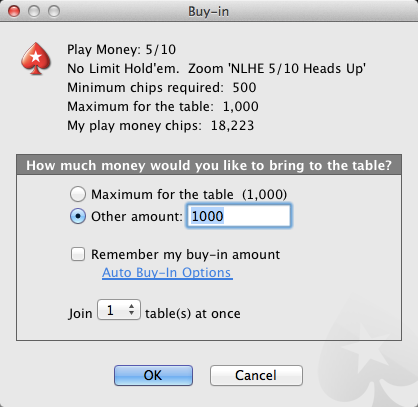
* PokerStars Heads Up Zoom tables are now supported!
* partypoker's new web client is now supported!
The Feature Update list for PokerTracker 4.09.x remains available for your convenience.
Updated Poker Client Support
PokerTracker 4 supports the latest poker client updates and changes including....
* Legal and regulated online poker in the USA is now supported thanks to BorgataPoker and partypoker in the state of New Jersey
* 888's new Mac OS X client is now supported
* Play money is now supported in full at Full Tilt Poker
* partypoker's new poker client is now supported for both Windows and OS X
* partypoker's new web poker client is now supported
* Preferred seating is now supported at the Winning Poker Network
* PokerStars new Heads Up Zoom tables are now supported
"Last # of Weeks" HUD Filter
We have improved your ability to restrict the data visible in the HUD by adding a new filter for the last number of weeks. You can access this filter by selecting HUD > Edit HUD Option. This new filter used the HUD's database cache to assure that there is no performance hit when the filter is enabled, this is different from the Last Number of Hands filter which cannot be cached.
Clear All Filters Above
All Simple Filters can now be reset with the click of the Clear all Filters Above hyperlink. This feature will only be displayed when there are Simple Filters enabled in the left hand filter frame, you can confirm that Simple Filters are active because the Simple Filter name is displayed using blue text.
Replayer Equity Display
This new option in the replayer will be very popular for poker coaches and players who want to review their decisions away from the table, we have added the ability to disable street by street equity in the replayer.
Equity Display Enabled
Equity Display Disabled
Time Zone Offsets
Time zone offsets have been added to PokerTracker 4's Site Configuration page for iPoker skins. We have included the most commonly requested skins in the Time Zone Offset list to help provide a starting point. These offsets are necessary to synchronies your local clock with the time that the hand was played on the server, each iPoker skin uses a different default server time.
PokerStars Auto-Center (Revised PT4.10.6)
Setting your preferred seating while playing at PokerStars tables has just got easier thanks to the new Auto-Center option for Cash Games and Tournaments. As of PokerTracker 4.10.6 PokerStars has unified the Auto-Center option, there is no longer separate options for Cash Games and Tournaments.
First enable Auto-Center inside of the Preferred Seat options page in PokerStars
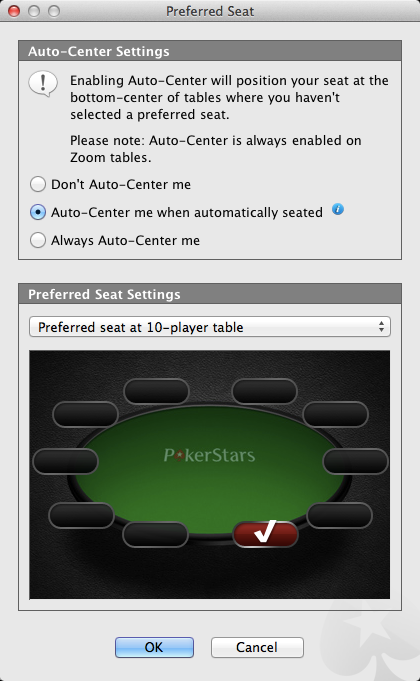
Then change the PokerStars Site Configuration options in PokerTracker 4 to use an Auto-Centered preferred seat.

PokerStars Heads Up Zoom Tables
PokerTracker now includes PokerStars Heads Up Zoom table importing as well as HUD support.